LAW FIRM IT SERVICES
IT Services for Law Firms: Managed IT & Cybersecurity
Secure, responsive technology support built around confidential client information, billable time, and the systems attorneys rely on every day.
Network Computer Pros provides IT support for law firms throughout South Florida and Middle Tennessee, helping attorneys and staff work securely from the office, home, courtroom, and multiple firm locations.
Our legal IT services combine responsive employee support, cybersecurity, Microsoft 365 management, backups, network management, secure remote access, vendor coordination, and long-term technology planning.
Your attorneys and staff work directly with Network Computer Pros technicians who share documentation and established escalation paths — not an outsourced third-party help desk.

25+ Years of Experience
Supporting businesses since 2001
NCP-Staffed Help Desk
No offshore or third-party call center
Legal-Focused IT
Client data · Legal software · Secure access
Local Teams
South Florida & Middle Tennessee
RECOGNIZED BY SOUTH FLORIDA'S LEGAL COMMUNITY
Four First-Place Daily Business Review Best of Awards
Network Computer Pros was recognized in the Daily Business Review's 2022 Best of Awards with first-place honors for:
For a technology company serving law firms, recognition from a publication focused on South Florida's legal and professional community is meaningful proof of the work our team has delivered.
Best IT Consultant Services
Best Local Data Security Services
Best Cloud Provider
Best Software Consultant
LEGAL WORK RUNS ON RELIABLE TECHNOLOGY
IT Support for Law Firms That Protects Client Trust and Billable Time
Law firms depend on technology for far more than email and document storage.
Attorneys and staff need reliable access to case files, document management systems, practice-management platforms, Microsoft 365, court filing systems, remote-access tools, billing information, client communications, and the other systems behind the practice.
Network Computer Pros provides managed IT services for law firms throughout South Florida and Middle Tennessee, including Miami, Fort Lauderdale, Boca Raton, Davie, Nashville, Franklin, Brentwood, Spring Hill, and Columbia.
We help firms reduce preventable downtime, strengthen cybersecurity, protect confidential information, manage employee technology, coordinate specialized vendors, and maintain secure access wherever legal work happens.
For firms that do not want to build every technical role internally, NCP becomes one accountable technology team for day-to-day support, cybersecurity, infrastructure, projects, and long-term planning.

FROM A LAW FIRM CLIENT
What Responsive Law Firm IT Support Feels Like
❝
“We have had the honor of working with Network Computer Pros and their genius owner Maurice Israel for years. Their talent is unsurpassed, their responsiveness at all hours is second to none, and the personal touch that they afford you sets them far apart from their competition. The owner, Maurice Israel, provides a remarkably intelligent, thoughtful, economical and efficient approach to solutions, and he treats each of his clients like they are family. I highly recommend their services.”
Scott Mager, Esq., Partner
Mager Paruas, LLC
❝
“Outstanding service! Network Computer Pros are hyper-responsive, they keep our system running like a charm, and I can sleep at night not worrying about our network! These are the guys to call!!”
Christian McCue
The McCue Law Firm
THE PRESSURES BEHIND LEGAL IT
Four Pressures. One Accountable Technology Plan
Law firm technology has to protect confidentiality without slowing attorneys down. It has to keep systems available during deadline-driven work, support secure access from multiple locations, and reduce cybersecurity risk without creating unnecessary complexity.
Protect Confidential Client Information
Client communications, litigation materials, contracts, discovery, financial information, settlement details, estate documents, employee information, and other matter-related data need appropriate protection wherever they are stored or accessed.
NCP helps manage practical safeguards around identities, email, endpoints, networks, Microsoft 365, file access, remote work, backups, and employee behavior.
Identity · Email · Devices · Data · Backups
Protect Billable Time From Preventable Downtime
When an attorney cannot access a matter, open a document, reach email, connect remotely, or use a required application, the problem becomes more than an IT ticket.
It affects productivity, deadlines, client service, and billable work.
Proactive monitoring, planned maintenance, standardized systems, responsive help desk support, and vendor coordination help reduce avoidable interruptions and create a faster path to resolution.
Monitor · Maintain · Support · Escalate
Keep Attorneys Secure Wherever the Work Happens
Legal work moves between the office, home, courtroom, client locations, meetings, travel, and multiple firm offices.
NCP helps firms maintain consistent security and access standards around managed devices, Microsoft 365, cloud services, remote access, MFA, permissions, and employee support.
Office · Home · Courtroom · Multi-Location
Reduce Cybersecurity and Financial Fraud Risk
Law firms face risks beyond ransomware.
Compromised email accounts, stolen credentials, fraudulent payment instructions, vendor impersonation, settlement fraud, and business email compromise can expose both confidential information and money.
Security should protect identities, communications, devices, data, and payment workflows together.
Phishing · BEC · Account Takeover · Ransomware
ETHICS + CLIENT CONFIDENTIALITY
Technology Safeguards That Support a Law Firm's Professional Responsibilities
Cybersecurity for law firms is not simply an IT issue. Attorneys work under professional duties involving competence, client confidentiality, communication, and the safeguarding of sensitive information.
Technology alone does not satisfy those obligations, and Network Computer Pros does not provide legal advice. Our role is to implement and manage technical safeguards that can support the firm's own policies, professional responsibilities, client commitments, insurance requirements, and incident-response plans.

Client and Cyber Insurance Requirements
Corporate clients increasingly ask outside counsel how sensitive information is protected, while cyber insurance applications may ask detailed questions about controls such as MFA, endpoint protection, backups, employee training, administrator access, remote access, and incident-response planning.
NCP can help document the technology controls that exist, identify gaps, and implement improvements.
The firm should confirm legal obligations, insurance representations, and policy language with qualified legal and insurance advisors.
This section provides general technology information and is not legal advice.
Reasonable Safeguards for Client Information
ABA Model Rule 1.6(c) calls for lawyers to make reasonable efforts to prevent unauthorized or inadvertent disclosure of, or access to, information relating to client representation.
For the technology environment, that can translate into practical controls around identity, devices, email, file access, encryption, networks, remote access, employee permissions, monitoring, and recovery.
Secure Electronic Communications
ABA Formal Opinion 477R addresses a lawyer's responsibility to make reasonable efforts to protect confidential client information when communicating electronically.
The appropriate safeguards depend on the sensitivity of the information, how it is being transmitted, the systems involved, and the firm's circumstances.
NCP helps firms manage the technical environment around email, Microsoft 365, secure file access, remote connectivity, devices, and identity protection.
Incident and Breach Readiness
ABA Formal Opinion 483 addresses professional obligations following an electronic data breach or cyberattack involving client information.
For Florida firms, Florida Statute §501.171 can also impose breach-notification requirements, including 30-day deadlines in covered situations.
The time to decide who does what during a serious incident is before the incident occurs.
NCP can help with technical incident readiness, backup and recovery, system containment, documentation, and coordination with the firm's legal counsel, cyber insurer, forensic provider, or other response resources when required.
Technology Competence
Florida's professional rules expressly recognize the need for lawyers to understand the benefits and risks associated with technology.
Florida Bar members subject to the continuing legal education requirement generally complete 30 credit hours every three years, including at least three hours in approved technology courses.
An IT provider does not replace a lawyer's professional judgment, but it can help the firm understand the technology environment, document risks, and implement practical safeguards.
WIRE FRAUD + BUSINESS EMAIL COMPROMISE
Law Firm Cybersecurity Has to Protect Money as Well as Data
Law firms can be attractive targets for business email compromise because trusted email conversations may involve retainers, settlements, real estate transactions, trust-account activity, vendor payments, invoices, or other financial instructions.
An attacker who compromises an attorney, employee, client, vendor, or other trusted mailbox may not need malware. A believable email at the right moment can be enough to redirect a payment or change wire instructions.
A stronger process combines technology with verification.

Controls for sensitive payments
- Multi-factor authentication and identity protection.
- Email filtering and impersonation protection.
- Monitoring for suspicious sign-ins and mailbox behavior
- Employee security awareness
- Clear approval processes for financial requests
- Independent verification of changed payment or wire instructions
- Fast escalation when an employee reports something suspicious
NCP helps firms protect the technology side of those workflows while the firm establishes the appropriate internal financial and legal procedures.
LEGAL SOFTWARE + DOCUMENT MANAGEMENT
Your Software Vendor Supports the Application. We Support the Environment Around It.
Legal applications do not operate in isolation.
When a practice-management system slows down, documents stop syncing, printing fails, users lose access, or an update creates problems, the root cause may be the application, but it may also be the workstation, server, permissions, Microsoft 365 environment, storage, network, remote connection, security controls, or an integration.
NCP investigates the surrounding technology environment and coordinates with the software vendor when application-specific expertise is required.
Practice Management
Support the devices, access, integrations, printing, connectivity, and user environment surrounding case and practice-management applications.
Document Management
Help maintain reliable access, permissions, storage, workstation integration, Microsoft 365 connectivity, and backup strategy around document-management platforms.
Court and Client Portals
Support secure browser access, managed devices, authentication, PDF workflows, printing, scanning, and connectivity around court e-filing and client-facing systems.
Microsoft 365
We help firms secure Microsoft 365 by managing account access, security settings, and how firm devices connect. We also handle day-to-day administration for email, Teams, OneDrive, and SharePoint.

PLATFORMS COMMONLY FOUND IN LAW FIRMS
Clio
MyCase
PracticePanther
ProLaw
PCLaw
NetDocuments
iManage
Microsoft 365
Court E-Filing Portals
We support the devices, infrastructure, access, security, backups, connectivity, and vendor coordination around specialized legal platforms. The exact applications supported depend on the firm's environment and vendor requirements.
SECURE ACCESS WHEREVER THE MATTER GOES
The Location Can Change. The Security Standard Should Not.
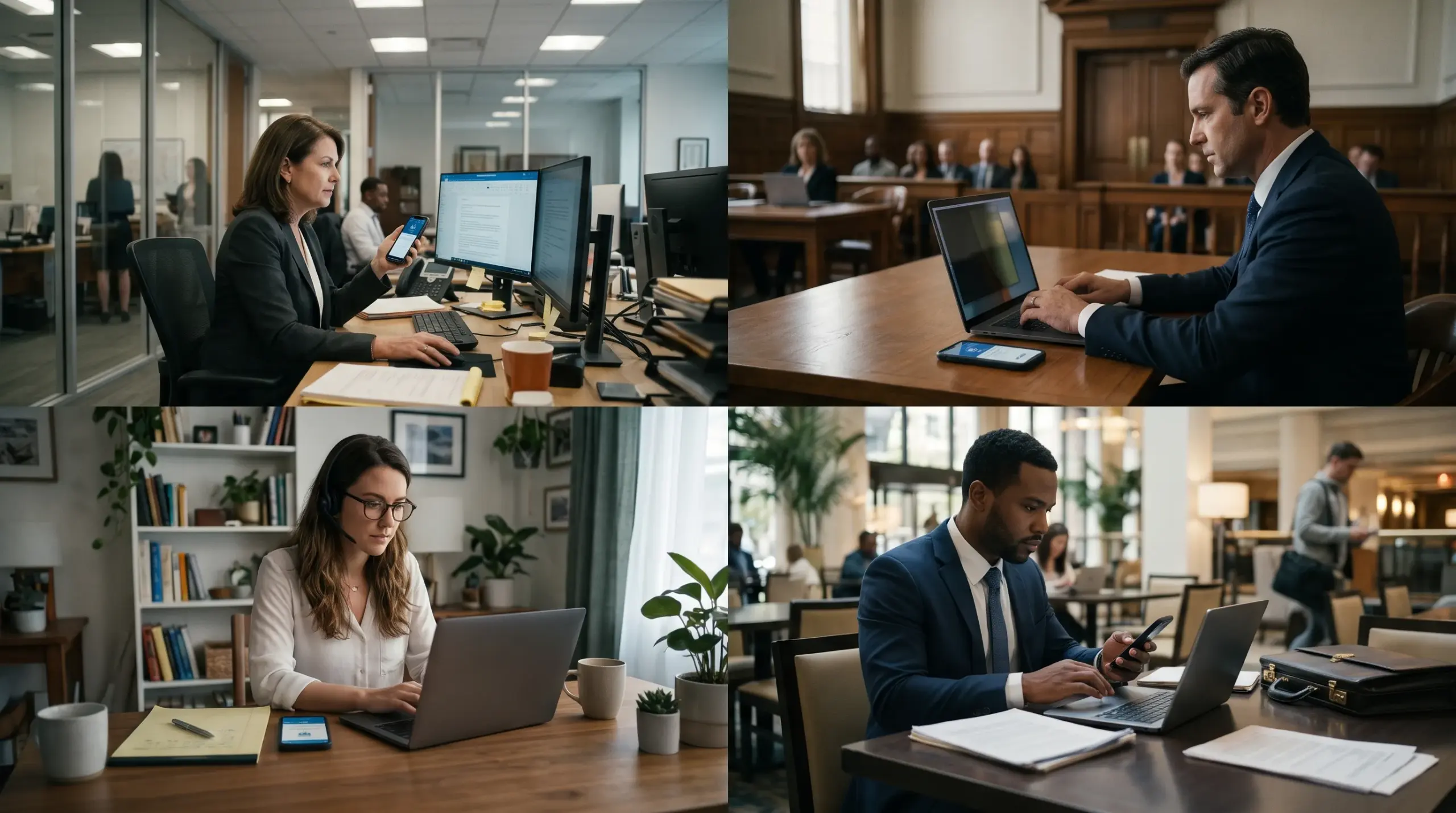
Attorneys and staff may work from the office one day, home the next, and a courtroom, client location, deposition, or another firm office after that.
Secure remote work is not simply about turning on a VPN.
The firm needs consistent controls around who is signing in, which devices are trusted, what information each person can access, how files are shared, and how access is removed when responsibilities change.
Managed Devices
Maintain consistent configuration, patching, security, encryption, and employee support across firm-issued systems.
Identity-First Access
Use multi-factor authentication, role-based permissions, account lifecycle management, and appropriate administrative controls.
Secure Document Access
Support controlled access to Microsoft 365, document-management platforms, cloud files, and other approved firm systems.
Responsive Employee Support
Give attorneys and staff one clear place to turn when access, applications, devices, printers, or connectivity interrupt their work.
WHY LAW FIRMS CHOOSE NCP
One Accountable Technology Team for the Firm
A law firm does not need ten vendors pointing at one another when something breaks.
NCP combines employee support, infrastructure management, cybersecurity, backups, Microsoft 365, vendor coordination, projects, and long-term planning under one accountable technology relationship.
No Outsourced Help Desk
Attorneys and staff work with Network Computer Pros technicians who use shared documentation and established escalation paths rather than an anonymous third-party call center.
Support That Understands Billable Time
A technology problem can affect deadlines, client responsiveness, and billable work.
We prioritize issues around business impact and provide remote support with local onsite service when hands-on work is required.
Senior Technical Depth
Complex infrastructure, cybersecurity, cloud, network, and project issues can escalate beyond frontline support to experienced technical resources.
Legal Technology Vendor Coordination
When a problem crosses between your IT environment and a legal-software provider, copier vendor, phone provider, internet carrier, court portal, or other technology partner, NCP can help determine ownership and coordinate the technical pieces.
Local Teams in Both Regions
NCP provides local onsite service from Davie, Florida and Brentwood, Tennessee, backed by the same help desk, engineering, documentation, and security standards.
Strategic Technology Planning
We help firms plan hardware replacement, Microsoft 365 changes, cybersecurity improvements, cloud projects, office moves, new locations, software transitions, backup strategy, and future technology budgets.
SWITCHING IT PROVIDERS
The First 90 Days Should Protect Continuity Before Changing Everything
Changing IT providers should not create another technology crisis.
The first priority is understanding what the firm depends on, securing administrative access, preserving support continuity, validating backups, and documenting the environment.
Improvements should follow a controlled plan rather than a rush to replace everything at once.

DAYS 1–30
Map and Stabilize the Environment
Review users, devices, Microsoft 365, applications, vendors, networks, servers, backups, administrator access, documentation, locations, and remote-work requirements.
Establish support paths and address urgent reliability problems first.
DAYS 31–60
Secure and Standardize the Important Gaps
Review identities, email security, endpoints, patching, remote access, backups, administrator privileges, employee onboarding and offboarding, monitoring, and cybersecurity priorities.
Do not change systems simply for the sake of changing them.
DAYS 61–90
Build the Technology Roadmap
Turn the findings from the first two months into an actionable plan for hardware, software, cybersecurity, cloud services, projects, budgeting, future employees, and additional locations.
Every transition is different, but the goal is the same: preserve the firm's ability to work while replacing uncertainty with documentation, standards, and an accountable support model.
A CLEARER STARTING POINT
See What Managed IT Could Cost Your Law Firm
Our pricing tool creates a preliminary estimate based on the size and complexity of your environment.
For law firms, the final scope may be influenced by employees, devices, locations, servers, Microsoft 365, legal applications, document-management systems, remote-access requirements, cybersecurity controls, backups, and support needs.
The estimate is a useful starting point, not a one-size-fits-all quote.
Final pricing and scope are confirmed after we review the actual environment.
Preliminary estimate. Final pricing follows an environment review.
People & Devices
Attorneys, paralegals, legal assistants, administrative staff, workstations, laptops, and mobile access.
Applications & Infrastructure
Microsoft 365, legal software, document systems, servers, cloud services, networks, printers, scanners, and office locations.
Security & Support
Cybersecurity requirements, backup and recovery, remote access, employee support, monitoring, and technology management.
LOCAL WHERE IT MATTERS
Law Firm IT Support in South Florida and Middle Tennessee
Network Computer Pros provides local onsite and remote IT support for law firms throughout South Florida and Middle Tennessee.
Whether your firm operates from one office, multiple offices, or a mix of in-office and remote attorneys, the same support, documentation, cybersecurity, and technology-management standards can follow the firm across locations.
South Florida
Davie Office
Local onsite support from our Davie office for law firms throughout Miami-Dade, Broward, Palm Beach, and surrounding South Florida communities.
Middle Tennessee
Brentwood Office
Local onsite support from our Brentwood office for law firms throughout Greater Nashville, Williamson County, Maury County, and surrounding Middle Tennessee communities.
LAW FIRM IT SERVICES FREQUENTLY ASKED QUESTIONS
Questions Law Firms Ask About IT Support, Cybersecurity, and Cost
Every firm has a different mix of attorneys, employees, applications, client requirements, cybersecurity risks, locations, and technology priorities.
These are useful questions to ask when comparing law firm IT providers.
Do You Provide IT Services Specifically for Law Firms?
Yes.
Network Computer Pros provides managed IT services, cybersecurity, help desk support, Microsoft 365 management, backup and recovery, secure remote access, vendor coordination, technology projects, and long-term planning for law firms.
Our approach accounts for confidential client information, legal applications, document access, deadline-driven work, hybrid attorneys, cybersecurity risk, and the operational importance of billable time.
What Is Included in IT Support for Law Firms?
Services may include employee help desk support, proactive monitoring, patching, Microsoft 365 management, cybersecurity, network management, workstation and server support, backups, remote access, vendor coordination, employee onboarding and offboarding, documentation, projects, and technology planning.
The final service plan depends on the firm's users, systems, applications, locations, infrastructure, and risk requirements.
How Much Do Managed IT Services for a Law Firm Cost?
Pricing depends on employees, devices, locations, servers, Microsoft 365, legal applications, cybersecurity requirements, backups, infrastructure, and the level of support required.
Our pricing tool provides a preliminary estimate before an environment review confirms final scope and pricing.
Can IT Services Help Support a Law Firm's Ethics and Confidentiality Responsibilities?
Yes, from the technology side.
NCP can implement and manage safeguards around identity, email, devices, access, networks, remote work, backups, monitoring, and employee security awareness.
Those controls may support the firm's confidentiality, competence, client, insurance, and regulatory responsibilities, but technology controls alone do not determine legal or ethical compliance. Firms should confirm their specific obligations with qualified legal counsel.
Can You Help With Cyber Insurance Requirements and Client Security Questionnaires?
NCP can help identify and document technical controls such as MFA, endpoint protection, email security, backups, patching, monitoring, administrator access, employee awareness, remote access, and incident-readiness measures.
We do not sell insurance or interpret policy language. Firms should confirm insurance representations and contractual requirements with their broker, legal counsel, or other qualified advisor.
How Can Law Firms Reduce Business Email Compromise and Wire Fraud Risk?
Technology controls can include MFA, email security, identity protection, suspicious-login monitoring, endpoint security, and employee awareness.
The firm should also maintain strong internal verification procedures for changed payment instructions, wire requests, settlement payments, vendor changes, and other sensitive financial transactions.
Do You Support Legal Software Like Clio, MyCase, PracticePanther, ProLaw, and PCLaw?
NCP supports the technology environment around common legal platforms, including devices, servers, Microsoft 365, networks, access, permissions, printing, storage, backups, and connectivity.
When an issue requires application-specific expertise, we coordinate with the software publisher or vendor.
Do You Support Document Management Systems Like NetDocuments and iManage?
We can support the surrounding IT environment, including workstations, Microsoft 365, identity, access, connectivity, device management, printing, scanning, and vendor coordination.
Product-specific configuration or application issues may require assistance from the software vendor or specialist.
Can Attorneys Work Remotely and Still Access Firm Systems Securely?
Yes.
NCP supports secure remote and hybrid work using managed devices, multi-factor authentication, Microsoft 365, appropriate remote-access methods, role-based permissions, cloud services, endpoint security, and employee support.
The goal is to preserve the firm's security standard even when the work location changes.
How Does Switching IT Providers Work for a Law Firm?
The transition begins with discovery and documentation.
NCP reviews users, devices, applications, administrator access, vendors, Microsoft 365, backups, networks, security controls, locations, and support requirements.
We then stabilize urgent issues, prioritize meaningful security gaps, establish support processes, and build an improvement roadmap without changing technology simply for the sake of changing it.
What Size Law Firms Are a Good Fit for NCP?
Our strongest fit is typically an established law firm with roughly 20–100 employees that depends heavily on technology, client information, specialized applications, cybersecurity, and responsive support.
Smaller and larger firms may also be a good fit depending on complexity, multiple locations, security requirements, growth, or internal IT resources.
Where Does Network Computer Pros Provide Law Firm IT Support?
NCP provides local onsite support throughout South Florida and Middle Tennessee, including Miami, Fort Lauderdale, Davie, Broward County, Boca Raton, Palm Beach County, Nashville, Franklin, Brentwood, Spring Hill, Columbia, and surrounding communities.
Secure remote support also allows us to support distributed attorneys and multi-location firms.
TECHNOLOGY PARTNERS
Business-Class Technology Selected Around the Firm
NCP works across established business technology platforms for Microsoft 365, cybersecurity, networking, backup, communications, endpoints, and infrastructure.
The tools matter, but the technology stack should follow the firm's people, applications, data, security requirements, and operational needs, not the other way around.
-
 Microsoft
Productivity & cloud
-

Cybersecurity
-

Backup & recovery
-
 Dell
TechnologiesBusiness computers
-

Servers & infrastructure
-

Power protection
-
 Ubiquiti
Networking & Wi-Fi
-
 Connect
Business communications
-
 LastPass
Password management
Different Platforms. One accountable team.
NCP connects the technical pieces, coordinates with vendors, and supports the environment your business depends on.
RESPONSIVE. LOCAL. SECURITY-FIRST.
Make Technology One Less Risk Your Law Firm Has to Carry
Your attorneys should be focused on clients, matters, deadlines, and the practice of law rather than recurring computer problems, unreliable remote access, cybersecurity uncertainty, or technology vendors pointing fingers at one another.
Talk with Network Computer Pros about your current environment and what a more accountable law firm IT support model could look like.